Easy Mobile Uploads
Hello Creators and Producers,
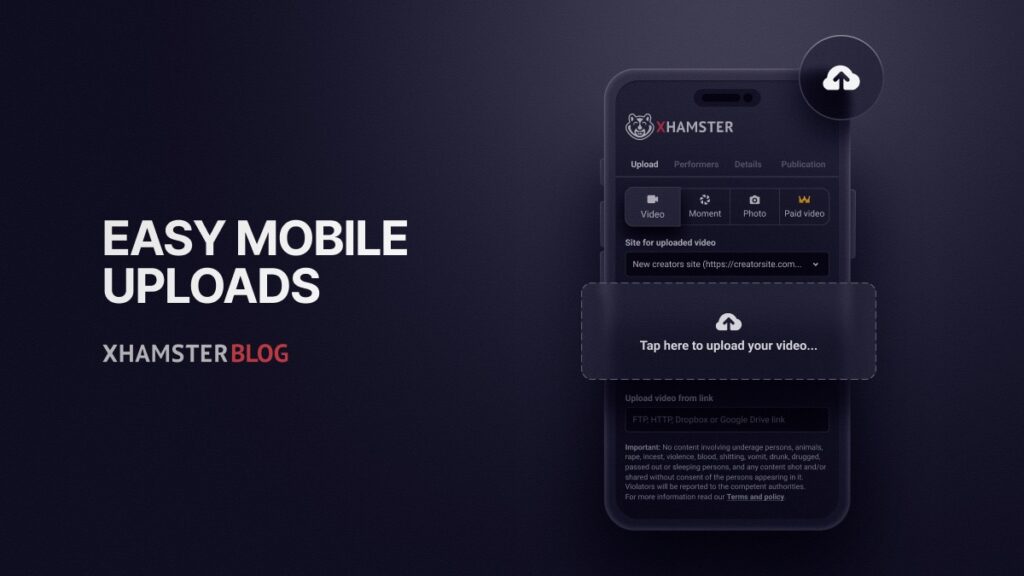
Forget long, endless upload forms on your phone since we’ve rebuilt the whole thing. Uploading from mobile devices is now split into four clear steps, so you fill in just a few fields at a time.
But this isn’t only about a shorter form. In this post, we’ll show you what to fill in at each step and why it matters! Because a few of these fields have a real impact on how much traffic your video gets.
What’s new?
Upload now walks you through four steps, with the current step always highlighted at the top of the screen, so you never lose your place. Your file keeps uploading in the background, with the progress bar pinned to the bottom, and you can move one step back or forward at any time to review or edit.
We also reordered the fields on purpose: you now enter the essential information about your video first, and only think about promotion tools at the very end. Less clutter, more focus on what counts.
Let’s proceed:
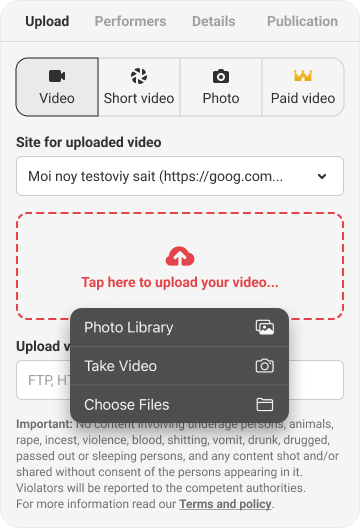
- Upload. Choose your content type (Video or Moment), select the link to appear under your video, and add your file from your device or an external link.
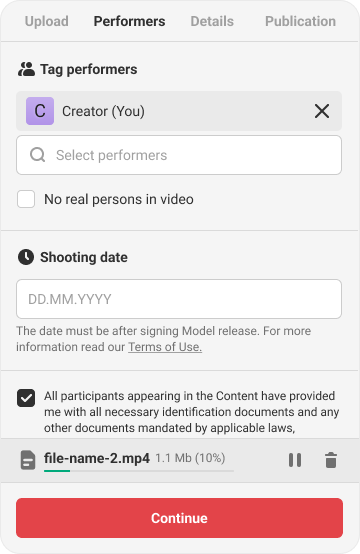
- Performers? — Performers! This is one of the most important steps, so give it a moment. Tag everyone who appears in the video. If someone isn’t tagged, the video won’t be published. Filming with no real people on screen? Just tick “No real persons in video” instead. Then add the shooting date and confirm the checkbox stating you’ve verified and kept the required documents for everyone in the content.
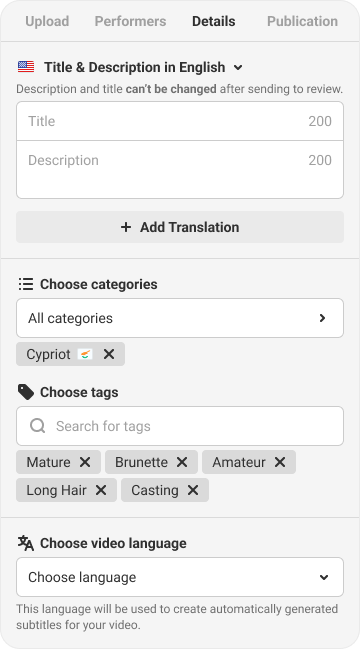
3. Details. This is where you help the right viewers find your video, so don’t forget to fill out the fields.
- Title. Use a title that’s at least 30 characters long and matches your content. A good, descriptive title helps your video perform better.
- Description. Keep it short, under 180 characters. Make it clear and descriptive to get more views.
- Categories. Viewers reach your video through categories, so choose accurate ones that truly describe your video.
- Tags: Add tags that match your content to bring the right audience to your video.
- Translations. Use translations only if you are a native speaker of the selected language. Otherwise, let our AI translate automatically.
- Publication. Turn on monetization, schedule the video if you’d like, and agree to the confirmation.
After that, tap Send to review.
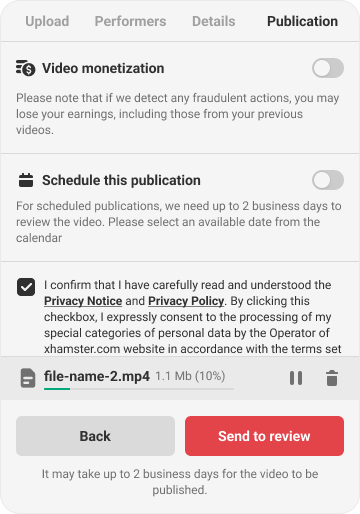
After you tap Send to review, your video goes into review (it may take up to 2 days to be published).
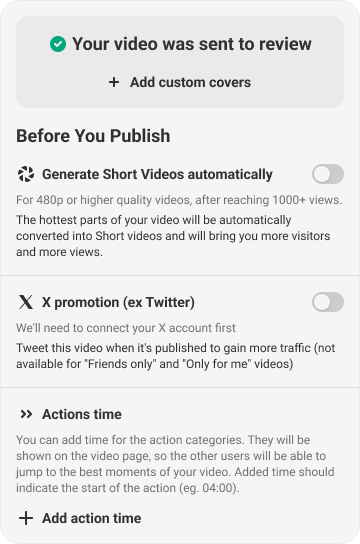
From here, you can:
- Enable automatic Short Videos generation to reach more viewers. We highly recommend it: fans can like, subscribe, add to favorites, and share your Short Videos. You can also use Shorts to drive traffic to your personal site via the Free Traffic feature.
- Add custom covers (and let us auto-select your best-performing one). You can upload up to 6 custom thumbnails per video. Use high-quality photos from your shoot: bright, engaging, and professional. Most importantly, your cover should reflect what actually happens in the video — a thumbnail that doesn’t match the content is irrelevant and will underperform. Avoid low-quality video screenshots, which rarely stand out. If you don’t add a custom cover, we will choose one for you.
- Promote your video on X (Twitter). X promotion allows you to automatically share newly uploaded xHamster videos to your X account, driving additional traffic and audience engagement.
- Add Action time. Action Time allows you to mark key moments in your video so viewers can jump directly to specific scenes. You can add up to 10 timestamped actions (in minutes and seconds). If the same action occurs multiple times, you can add it more than once.
You can also save your details and upload another video right away — no need to start over.
That’s It
Uploading should feel quick and clear, especially on mobile, so you can publish faster and with less scrolling.
Give the new flow a try on your next upload!
In case of any questions, please reach out via the Contact Us form.
Best Regards,
xHamster Team